
About
We know that every teacher needs access to professional digital tools – without needing a website, coding skills, or technical support.
H5Project is an affordable and intuitive cloud platform that empowers teachers to create engaging learning materials and share them easily with their students.
We offer a platform for teachers to create, publish and manage interactive content – quickly, visually and affordably:
Teachers can
- Create interactive activities using an intuitive visual editor — no coding required.
- Combine activities into pages and workbooks with excellent visibility and a fully responsive design — perfect for mobile learning.
- Share materials easily with students or colleagues (URL links)
- Store and manage all their activities securely in the cloud.
- Integrate with LMS platforms such as Canvas and Moodle (coming soon).
Learners enjoy
- Free without ads, no account or app
- Learn without any interrptions
- Instant feedback
- Playful gamified environment
- code works smoothly on all common devices
Our vision is to build a community of creators, a space where educators can exchange ideas, inspire one another, and collaborate to enhance the learning experience. Although our platform already provides partial right-to-left (RTL) support for Hebrew and Arabic, this community will help bridge the gap by developing and sharing creative solutions until full RTL support is achieved by the end of 2026.
Our Technology
- Built on H5P, the world’s leading open-source framework for interactive learning
- Mix and match 30+ content templates to practice language and knowledge skills
- Fully responsive across all devices and screen sizes.
- Provides secure cloud hosting for teachers without their own websites.
- Offers API integrations with LMS platforms (Canvas, Moodle, etc.) – coming soon.
- Partial RTL support for Hebrew and Arabic – but we hope to fully support Arabic and Hebrew in 2026.
We think alot about:
- Simplicity: every teacher can create and publish independently.
- Accessibility: materials that work everywhere, for everyone.
- Creativity: teaching as an act of design and inspiration.
- Community: collaboration, sharing, and mutual growth.
- Security: a safe, privacy-respecting environment for teachers and students alike.
Pure engagement: no ads, no apps, no registration, no interruptions
Visit our blog to know more about teacher’s experience,
We Currently offer more than 50 content types for educators
✅ = Content type can be easily published in H5P pages/books. Content types without this mark are standalone by default.
Question types⭐️
Gamified experience with automatic feedback, from any device
Select the Answer:
True/False ✅

Multiple Choice ✅
Multimedia Choice ✅

Summary ✅
Mark the Words ✅

Drag the Answer
Drag and Drop (to image) ✅

Drag the Words (to text) ✅

Sort the Paragraphs

Write the Answer
Fill in the Blanks ✅

Advanced Fill the Blanks

Dictation

Flashcards (for spelling)

Crossword

Learn visually
Find the (single) Hotspot✅

Find Multiple Hotspots
Image Pairing (optional sound)

Image Sequencing

Play Games
Memory game ✅

Find the Words
word bank is optional

Soon: Speak the Answer
Speak the words
currently working only from desktop & Chrome browser. Still not working in Mobile devices and other browsers
Info Displayℹ️
Interactive display of complexed ideas
Collage ✅

Image Slider = Gallery ✅

Agamotto = sequenced frames ✅

Image hotspots✅

Image Juxtaposition = before/after

Chat Simulator

Organize info
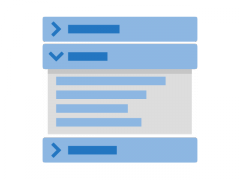
Accordion ✅
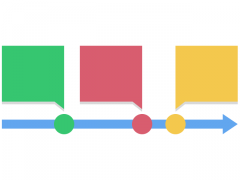
Timeline ✅
Information Wall

Publish Easily 🚀
Interactive content + rich media = engaging learning experience
Advanced Layouts
Interactive Video✅

Page = sequenced ✅ elements + rich media

Interactive Book = sequenced ✅ pages

Interactive Presentations

Game map = Quest

Personality Quiz

Branching Scenario

Augmented Reality Scavenger hunt

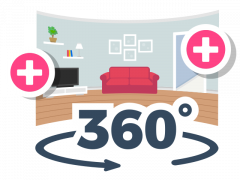
Virtual Tour 360°
Digital Handouts
Quiz simulations✅

Dialog cards✅

Guess the answer = digital flashcards✅

Ideaboard = Structured Personal Padlet

QR codes

Coming Soon:
- Creators’ Community: connect with other teachers, share templates, and learn from best practices.
- Full Right-to-Left Support
- Professional Profiles: present your work and invite collaboration.
- Branding Tools: customize your workspace and publish under your own brand.
- LMS Dashboard: manage learners, grades, and scoreboards.
- Advanced Analytics: track engagement and learning outcomes.
Frequently Asked Questions
Site and Service QA
For Students
No, unlike many other services our content shows (and looks great!) from the browser, with no need to login or register an account, neither ads or any paid transaction. Click here to view sample booklet (simulating students’ experience)
Absolutely. The platform is mobile-friendly and works smoothly on any modern browser.
Answers remain active as long as the browser tab stays open. Teachers who use tracking tools may collect results automatically.
About This Website
H5Project is an educational cloud where teachers can easily create, publish, and share interactive H5P activities, without needing their own website or technical setup. Everything runs directly from your browser.
What anH5Project – Interactive Cloud was launched in October 2025 and is currently in a pilot phase with a small number of users. There’s only one admin managing the entire platform (that’s why some pages might still need a design touch or a final proofread). On the bright side, the H5P content itself looks and works beautifully!
funny question. this site is being created and managed by 1 person, a university language teacher. it’s the first time i build and manage a site. Please subscribe and process a payment so i can actually pay a professional to make this site look nicer and also make our cloud work perfectly in right-to-left environment. Please support my project with a paid subscription
For Teachers
Create your next engaging materials for students and bring your lessons to life.
H5Project lets you design interactive activities that give learners immediate feedback in a gamified environment — collect stars, track progress, and make learning fun for everyone.
Not at all! The platform is designed for independent educators.
Simply choose a content type — quiz, drag-and-drop, interactive video, and more — add your materials, and publish.
Your materials are yours, we only provide authoring tools and hosting. only people you shared your content with will be able to access the materials.
Each activity has its own shareable link.
You can send it directly to students via email, Whatsapp or social networks. you can aksi post it in your LMS, or embed it on your course website or Google Site.
Account & Privacy
You do. H5Project only hosts your materials—you retain full rights to every activity you create or upload.
Yes. You can remove your account and all your content at any time through your profile settings.
All user data is stored on secure European servers with SSL encryption. We never sell or share user information.
Click “Join the Cloud” on the homepage, enter your email, and you’re ready to start creating.
Pricing & Subscription
Yes, you can try H5Project free for one week to explore all the main features before subscribing.
After the trial, the plan is just 10 USD per month for educators. All updates and hosting are included.
We currently accept PayPal and Stripe (credit/debit cards). Get in touch if you need another payment method (Venmo, Bit, etc).
Yes. Subscriptions are flexible, and you can cancel or renew whenever you like.
Yes. Please contact us for group or school-wide access – we’re happy to support educational teams.
Technical & Integration
Definitely! We’re always expanding the collection. Send your idea via the contact form – we read every suggestion.
Try clearing your cache or reloading the page. If the issue continues, contact support – most errors are easy to fix.
Full LMS integration (via LTI or API) is coming soon. For now, teachers can share links or embed code in their LMS pages.
Yes. Each published item includes an embed code you can paste anywhere, such as a WordPress post or Google Site.
H5Project works best on the latest versions of Chrome, Edge, Firefox, and Safari, on both desktop and mobile.
Create and share content
Getting started
After register an account and complete the payment form (to take place on the end of the trial period) – you will receive instructions by email. you should see on the left side of the screen a panel with “H5P” label, click on create “new”. you will see the visual interface for creators.
*Content creation and management is only available via desktops and laptops (might not work from your mobile phone).
** if you can’t see this menu – try logout and login with your credentials.
check our creators blog for some inspiration, you can download content from there. You can also check for demos and tutorials (and use their templates) in H5P.org site
Creating & Editing Content
partially yes. check the display option on the bottom of create/update window
Not yet. Please make sure to click “Save” or “Update” often while you work. This will keep your progress safe and prevent data loss if your browser refreshes.
Use the upload buttons inside the editor or paste external URLs (for example, YouTube or SoundCloud). You can also upload files directly from your computer.
Collaboration tools are in development. For now, you can share exported files or cloned links between teacher accounts.
Yes. You can clone any existing activity with one click and modify it without changing the original.
Save keeps your work private inside your account. Publish makes it accessible via a link or embed code. You can unpublish at any time.
Yes. Every content type includes a Preview mode so you can test the activity exactly as your learners will see it.
Absolutely. You can write Hebrew instructions, English answers, and Arabic hints—the editor supports multilingual content and Unicode fonts.
We currently offer partial RTL support. For example, you can set the question text to display from right to left, but some elements—like multiple-choice answers—still appear left to right. Also, when a sentence ends with punctuation marks (like !, ?, or .), the punctuation may appear at the beginning of the line. Until we release full RTL support, consider adding a small note after the punctuation mark and let your students know—they’ll appreciate your simple solution.
When you edit and save an activity, the shared link updates automatically. That means your students or colleagues always see the most recent version without refreshing or re-sending anything.
After logging in, click “Create New” and choose a content type, for example, “Interactive Video,” “Quiz,” or “Drag and Drop.” The editor will open in your browser, no installation needed.
Yes! Every activity can be edited at any time. Your updates are saved instantly and replace the previous version – no need to re-upload or share a new link.